chit at work
How to record in-person meetings without pulling out your phone
The standard advice for recording a meeting in a room is to open an app and set your phone on the table. It works, and everyone who has done it knows the costs: the phone is occupied, the first minute becomes about the phone, and the battery you needed for the rest of the day is gone by three. This page is about the other way.
This is general information, not legal advice. Recording law varies by state and by situation, it changes, and only a lawyer in your jurisdiction can tell you what applies to you. chit records only while you hold the button — that is a fact about the device, not a statement that any particular recording is lawful.
Why the phone on the table costs more than it looks
A phone lying face-up and visibly recording changes how freely people talk — the person across the table watches you place it, and candor drops before the conversation starts. It also occupies the device that is your maps, your calls and your calendar, on exactly the days you are out of the office. And it only happens when you remembered to set it up before the conversation began, which excludes the corridor, the walk to the car, and the thing said as someone is leaving.
Bots cannot join a conference room
The software half of this category — meeting bots and desktop notetakers — is built around calls. A bot needs something to join, and a desktop tool needs an attended computer that can hear the room. A conference room, a client's kitchen table, a site walk and a working lunch offer neither. Those tools are good at what they were built for; the point is structural, not a criticism: the meetings with no join link need hardware.
The workflow with a card
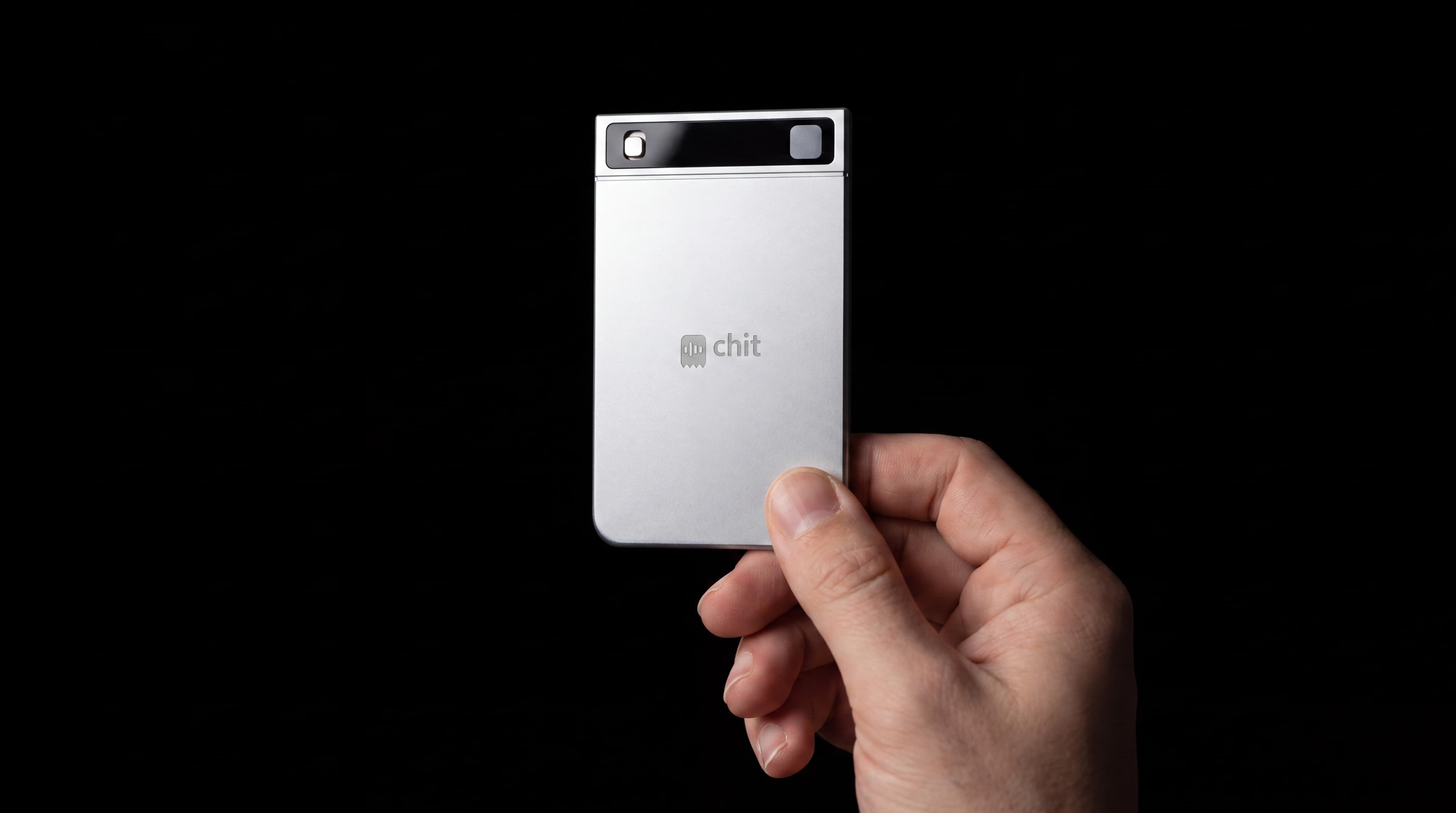
chit is a card the size of the ones in your wallet, with one button. Hold it through the conversation — or, the habit most people settle on, hold it for thirty seconds afterwards and say what was decided and what you promised. Either way you keep eye contact instead of a screen, and the recording is visibly deliberate: it starts when you press and stops when you let go, with no wake word and no always-on microphone.
Afterwards, each capture comes back as a transcript, and the day comes back as a digest — what happened, what was decided, and the next steps pulled out. It records with no signal at all and syncs when it next has one.
Getting the notes where work happens
The output does not sit in another inbox you have to remember to check. With calendar and mail connected, captures are matched to the meeting they came from, next steps can become calendar events, and follow-up emails arrive drafted with the context of what was said — you review and send them yourself. Nothing joins your meetings and nothing sends on its own.
chit one is $129, chit one Pro is $179, and the $9 a month membership covers unlimited transcripts, the digest, search, the connections and cloud backup. Free shipping, free 30-day returns.
Say that you are recording
Recording the people in the room is regulated. Most US states permit a recording where one party to the conversation consents; roughly a dozen — California, Florida and Washington among them — require every party to agree, and workplace policies can restrict recording even where state law does not. The practical habit that keeps you clear of all of it is the same one that keeps the meeting comfortable: say you are recording before you press the button, and get the yes on tape. Our guide to asking permission has the exact wording, and the state-by-state reference table has the statutes.
Good questions
Does anything join the meeting or appear on a screen?
No. There is no bot, no participant and no software running on anyone's machine. The card records while the button is held, and that is all it does in the room.
Do I need my phone at all?
Not to capture. The card records on its own, offline if it has to, and syncs later. The app is where you read the transcript and the digest afterwards.
How do I tell people I'm recording?
One sentence before you press: that you record so you can be present instead of typing, and does anyone mind. Our how-to-ask-permission page has scripts for the common rooms.
What if I only remember after the meeting?
That is what the thirty-second debrief is for — hold the button on the walk out and say what was decided, who owns what, and what you promised. Your own recap, in your own voice, still comes back as a transcript with the next steps pulled out.
Reviewed 2026-08-23.
Nearby trades